Financial visibility and cash flow
Bring bank, cash, current accounts, loans and cheques/promissory notes together in one place; see your forecast cash flow in advance.
Bu sayfa Türkçe olarak da mevcut.

Enterprise resource planning (ERP)
Run finance, accounting, inventory, sales, purchasing, HR and e-invoicing with 47 modules on one cloud platform.
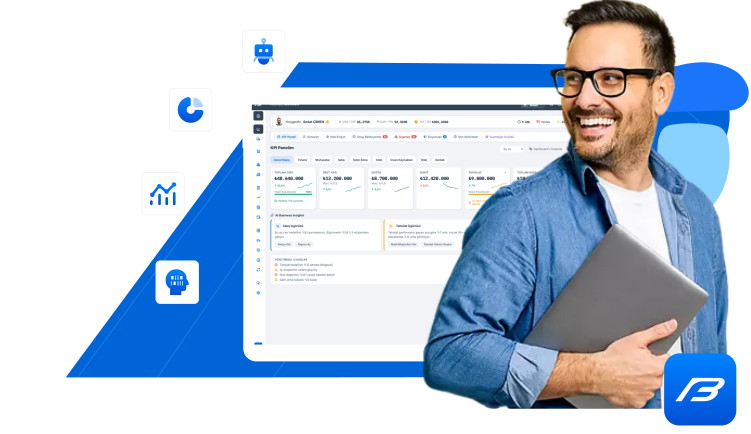
See the typical challenges growing companies face and the Factorbooks modules that address them.
Approach. Commercial, operational and financial processes sit in 47 modules on the same platform.
Benefit. The same information is not entered again and again in different systems.
Approach. Bank, cash, current accounts, loans and cheques and notes in Advanced Finance Management; forecast cash flow in Cash Management.
Benefit. Management tracks cash, payables and receivables without waiting for period end.
Approach. In the ABM packages, general accounting and tax management run on the autonomous management model.
Benefit. Teams spend less time on repetitive entries and more on control and analysis.
Approach. Tasks, pending approvals, notifications and announcements on the home screen; workflows with approval matrices in ABM.
Benefit. Pending work and approvals are visible without depending on individuals.
Approach. Permissions and roles, user groups and a list of canceled transactions; a log record list in ABM.
Benefit. You can trace who can see what and which transaction was canceled.
Factorbooks® Autonomous ERP technology was launched in 2010 as an R&D project supported by TÜBİTAK, the Scientific and Technological Research Council of Türkiye.
Access your data securely from anywhere with public, private and hybrid cloud solutions, and run your business more efficiently.
With its modular structure, easily manage all your business processes on a single platform to boost efficiency and gain operational flexibility.
Provides a continuously monitored infrastructure secured with advanced security (OWASP Level 2) protocols to protect your data.
With TOGAF 10 architecture, it aligns your business processes and technology infrastructure with your strategic goals to increase your efficiency.
AI-powered ERP analyzes your data to speed up decision-making, automate processes and increase efficiency.
Automates repetitive work, reduces errors and helps get more done in less time.
Its scalable structure expands easily as your business grows and adapts quickly to your evolving needs.
Role-based ERP provides access tailored to your employees' duties and permissions, improving security and operational effectiveness.
Delivers cost savings and efficiency, offering budget-friendly solutions for your business and optimizing resource use.
Autonomy is a way of working in which data is entered once, processes are connected and control points are kept. Every step is based on real Factorbooks modules.
Sales, purchasing, inventory, banking and personnel transactions are recorded once, in the relevant modules.
From order to shipment and from e-document to collection, each step moves between modules on the same platform.
Rules such as price lists and discount definitions are kept in the system. In the ABM packages, accounting and tax management run on the autonomous model.
Transactions that need approval are routed to authorized people; steps that require human review stay defined.
Management tracks results with KPI dashboards and reports, and canceled transactions are listed separately.
The two product families share the same module catalog. The key differences: in ABM, general accounting and tax management run on the autonomous model, the number of users is unlimited, and private cloud or on-premise deployment is available.
In a live demo, we show how autonomous accounting and tax management work for your business, including approval points.
| Comparison | ERP | ABM - Autonomous Business Management |
|---|---|---|
| Packages | Micro Business, Small Business, Mid-sized Business, Large Business | Corporate, Enterprise, Tailored |
| General accounting | Classic Accounting Management | Autonomous Accounting Management |
| Tax management | Classic Tax Management | Autonomous Tax Management |
| Number of users | Up to 1 / 5 / 10 / 20, depending on the package | Unlimited |
| Technology service | Public cloud (SaaS) | Private cloud (PaaS, XaaS) or on-premise |
| Service model | Annual subscription | Long-term corporate operating lease (annual payment) or license purchase |
| Modules included only in ABM | By upgrading to a higher tier | Capital & Affiliate Management, Contract Management, Document Management, Workflow Process Management, System Management |
Choose the topic you want to solve and see the related modules, process steps and package coverage together.
Bring bank, cash, current accounts, loans and cheques/promissory notes together in one place; see your forecast cash flow in advance.
Connect the sales process from lead to quotation, and from order to invoice and shipment.
Keep purchasing under control from purchase request to quotation evaluation, and from order to goods receipt.
Period-end processes from journal vouchers to tax returns, and from valuation to e-Ledger.
e-Invoice, e-Archive, e-Waybill, e-Ledger, e-SMM and other e-documents are included in all packages.
Bank transactions, POS collections, company credit cards, loans and open banking.
Manage materials, warehouse, inventory, production, project and foreign trade processes on the same data.
Decision support from KPI dashboards to financial, fiscal, commercial and management reports.
Search all 47 modules in 9 business areas in the catalog and filter by area and package.
Leads, sales opportunities, pipeline, campaigns and support requests.
Price lists, discounts, sales contracts and orders, outgoing e-invoices and e-archive invoices, sales targets.
Materials, serial/lot, cost allocation, warehouses, goods receipt, e-waybills and stock counts.
Current account, cash, bank, loan, POS, company credit card, payment, cheque and note management.
Journal vouchers, chart of accounts, inventory valuation, inflation accounting and accruals.
e-Invoice, e-Archive, e-Waybill, e-SMM, e-Ledger, e-MM, e-Reconciliation and e-Bank Receipt.
Two example process chains, each step shown with the real features of the related module.
From sales opportunity to quotation, order, shipment and e-Invoice, and from there to collection and the accounting entry, every step runs on the same platform.
From a department's purchase request to supplier quotation, from purchase order to goods receipt, and from incoming e-Invoice to payment and accounting.
7 packages, two product families: ERP with an annual subscription in the public cloud; ABM in a private cloud or on-premise.
In the public cloud, with an annual subscription; start with 1 user and grow with additional users up to a maximum of 20 users.
In a private cloud with unlimited users; autonomous accounting and tax management with expanded module coverage.
On your own infrastructure (on-premise) with the license purchase model; a project proposal based on needs analysis.
Issue, send and track your e-Invoice (e-Fatura), e-Archive (e-Arşiv), e-Ledger (e-Defter), e-Waybill (e-İrsaliye), e-SMM and e-MM documents from within Factorbooks, without logging in to a separate portal.
Connect your bank account activity, virtual POS, e-Bank Receipts (e-Dekont) and open banking transactions to Factorbooks and create accounting entries on the same platform.
Integrations and digital channels: Integration Management (e-Transformation solutions, e-commerce platforms, third-party applications, API) and Digital Channels (B2B / B2C) (B2B portals, B2C e-commerce, marketplace integration) are offered as add-ons in all packages.

From SMEs to enterprises, manage your accounting and finance processes under one roof.

Track and manage your clients' tax and accounting work from one platform.

Join the Factorbooks partner family as a reseller, financial advisor, consultant or technology partner.
Our sales process is built on understanding your business needs correctly.
You fill in a short form, and our sales team contacts you to schedule a convenient time.
We walk through the relevant modules and the difference between ERP and ABM using your priority processes.
We confirm the number of users, companies, warehouses and branches, your deployment preference, and integration and data migration needs.
The right package, add-on modules and additional requirements become a quote. For the Tailored package, we prepare a project quote.
Factorbooks is business management software that brings 47 modules together on a single platform across commercial management, operations, finance, accounting and tax, financial services, corporate governance, digital transformation and reporting. It is offered in two product families: ERP packages and Autonomous Business Management (ABM) packages.
ABM (Autonomous Business Management) is the Factorbooks product family that retains and extends the ERP scope. Our product source defines the core difference between the two families as follows: in ERP packages, general accounting and tax management follow the classic management model, while in ABM packages they follow the autonomous accounting and autonomous tax management model. ABM also includes unlimited users, private cloud or on-premise installation, and additional modules such as System Management, Workflow Process Management, and Document and Contract Management. We show how autonomous management works in your business processes in a live demo.
The ERP family includes the Micro, Small, Mid-sized and Large Business packages; the ABM family includes the Corporate, Enterprise and Tailored packages. In ERP packages, the maximum number of users is 1, 5, 10 and 20 depending on the package; in ABM packages, the number of users is unlimited.
ERP packages run in the public cloud (SaaS). The ABM Corporate package is offered in a private cloud (PaaS), and the Enterprise package in a private cloud (XaaS). The Tailored package is an on-premise installation.
Yes. According to our product source, the Digital Transformation Management module is included in all packages, covering outgoing and incoming e-Invoice (e-Fatura), outgoing e-Archive Invoice (e-Arşiv), outgoing and incoming e-Waybill (e-İrsaliye), e-SMM, e-Ledger (e-Defter), e-MM (e-Producer Receipt), e-Inventory, SGK e-Invoice, e-Reconciliation, e-Statement and e-Bank Receipt (e-Dekont). The e-document service provider to be used and the integration details are clarified during the needs analysis.
Simply fill out the demo request form. The form only asks for your name, business email address, company and a brief description of your needs. Our sales team will contact you to schedule a suitable time for the demo and will prepare it around your business's priority processes.
Sales, finance, accounting or operations: tell us which process you want to start with, and we will prepare the demo and needs analysis around it.
We have received your request. Our sales team will contact you at the email address you provided as soon as possible.
info@factorbooks.com
Write your question and our sales team will get back to you.
Let’s walk through your processes together in a live demo.
Address, map and working hours.