
Everyone looks at the same data
Finance, trade, operations and accounting use the same data. You do not key the same information into a second program. Less time goes into making departments’ figures match.
Bu sayfa Türkçe olarak da mevcut.

Choose your language
Factorbooks Autonomous Business Management Platform
Factorbooks manages the impact of economic events on finance, trade, operations and accounting in a single integrated architecture.

An event is recorded once, and every related process is updated at the same time, under the same rules.
In autonomous business management, every transaction is recorded once. The system works out the results according to the rules you define. It makes no difference whether it is a sale, a purchase, a collection or a stock movement. Nobody carries the results from one department to the next by hand.
Finance, trade, operations and accounting use the same data. You do not key the same information into a second program. Less time goes into making departments’ figures match.
Every transaction is processed together with its effect on stock, cost, customer and supplier accounts, cash and accounting. You do not wait for period end.
Rules, permissions and approval points are defined in the system. The system does the work. Exceptions and decisions stay with people.
The platform at a glance
47 modules across 9 business areas use the same data. Choose an event and watch which areas the system processes it in, in what order and with what results, autonomously.
Economic event
Live flow
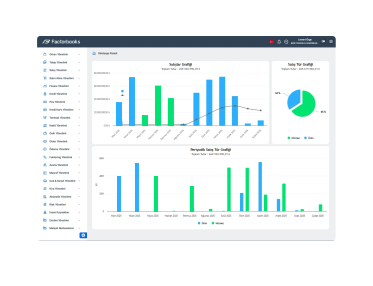 Factorbooks CEOAutonomous business management · 47 modules
Click a business area to see its modules.
The examples are conceptual; each step links to the related Factorbooks module. Rules, approval steps and permissions are defined for your business in the needs analysis.
Choose a transaction and run it. See what changes in each area, together with the related modules.
Transaction
The examples are conceptual. Each step links to the related Factorbooks module. Rules, approval steps and permissions are defined for your business in the needs analysis.
| Separate programs and manual follow-up | Autonomous business management | |
|---|---|---|
| Data entry | The same information is entered in several programs | The transaction is entered once and the system works out the results |
| Consistency | Departments’ figures have to be made to match | Every area uses the same data |
| Visibility | Spreadsheets and reports are prepared at period end | Results are visible the moment the transaction is entered |
| Control | Follow-up depends on individuals | Rules, permissions and approval points are defined in the system |
| Team time | Goes to repetitive data entry | Goes to control, analysis and decisions |
| Decisions | Based on past-period data | Based on current data |
Finance, trade, operations and accounting work on the same data. Each area is supported by the related modules.
In every Factorbooks Autonomous Business Management package, sales, purchasing, stock and cash transactions run from the same record. In MOTUS, NEXUS and IMPERA, general accounting and tax management are included too. NEXUS has no upper limit on users. Private cloud and on-premise deployment options are available as well.
Every transaction in the business is recorded once, and its results are processed under defined rules. Finance, trade, operations and accounting are updated at the same time and consistently.
No. People set goals, policies and rules, and approval points and exceptions stay with them. The system does the repetitive work and makes results visible.
They all run on the same foundation. The difference is where accounting is done. In NUCLEO, commercial, operational and financial processes run autonomously while accounting and tax stay with the accountant. In MOTUS, NEXUS and IMPERA, general accounting and tax management are done in Factorbooks too.
It is the foundation of every package. Packages differ by module scope, number of users, companies, warehouses and branches, and deployment model. See the Packages page for details.
Rules, approval steps, permissions and reports are defined together for your business processes in the needs analysis.
In the needs analysis we show, using your own examples, how a sale, a purchase or a collection reaches stock, cash and accounting.
info@factorbooks.com
Write your question and our sales team will get back to you.
We prepare an annual quote that fits your needs.
Address, map and working hours.